Find files without sending them anywhere
Search is a document search tool that runs entirely in your browser. Use the hosted version right now, or download it and keep using it with no internet connection at all. It's the same app either way.
Use it online
Open the hosted version in Edge or Chrome and point it at a folder. Nothing is installed, and nothing is uploaded either way.
Open search.siganor.comDownload it, use it offline
It's a plain HTML and JS page, no build step, no dependencies to install. Download it from GitHub, open index.html, and it works with no internet connection at all.
Get it on GitHub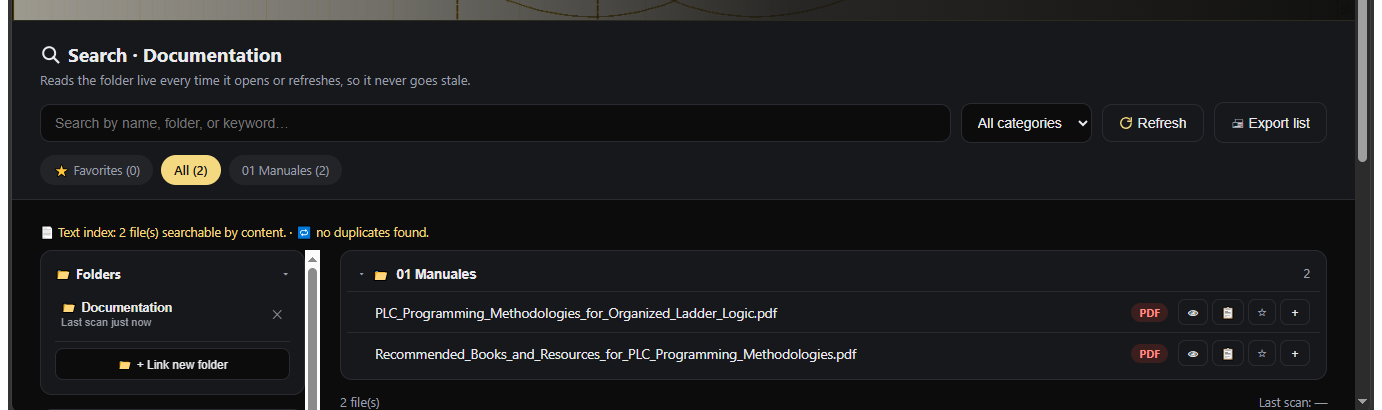
What it does
Live folder scan
Point it at any folder on your computer. It always reflects what's actually on disk, no index to rebuild.
Full-text PDF search
Searches inside PDFs, .txt and .htm files, with a highlighted snippet under each match. Also finds duplicates by hashing every file.
Favorites and collections
Star files you care about, group files into collections, and see what you've opened recently.
Built for keyboard use
Press / to search, arrow keys and Enter to jump between results, Esc to clear.
Export and backup
Export your current results as a Markdown list, and back up your favorites and collections to a .json file.
Nothing ever uploaded
No server, no account, no analytics. Your files are read directly from disk by your browser and never leave your machine.
Search needs a Chromium-based browser (Microsoft Edge or Google Chrome) to read folders from disk. Firefox and Safari don't support that yet, and Search will tell you if you open it there. MIT licensed: use it, fork it, adapt it.